They know who is hurting before the first burpee.
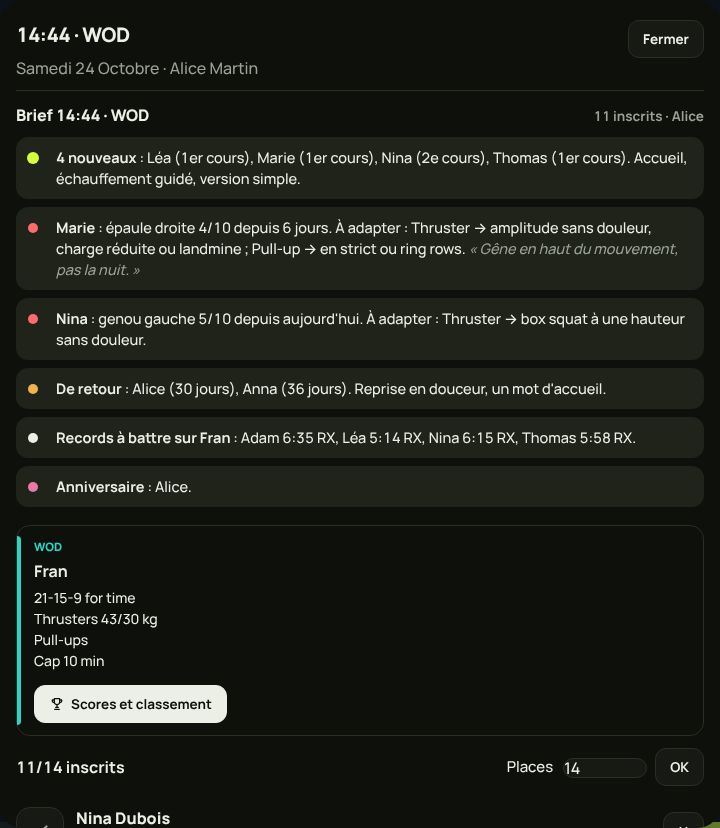
Before every class, a clear brief: newcomers, today's pain reports with what to adapt, members back from injury, records to beat, birthdays.
Every reported pain reaches the coach before class.
Each coach has their own space, in the same app as the members. They know who is coming, who is hurting, who is new. They check attendance in one tap, start the clock on the TV, and their hours count themselves.
Before every class, a clear brief: newcomers, today's pain reports with what to adapt, members back from injury, records to beat, birthdays.
Every reported pain reaches the coach before class.
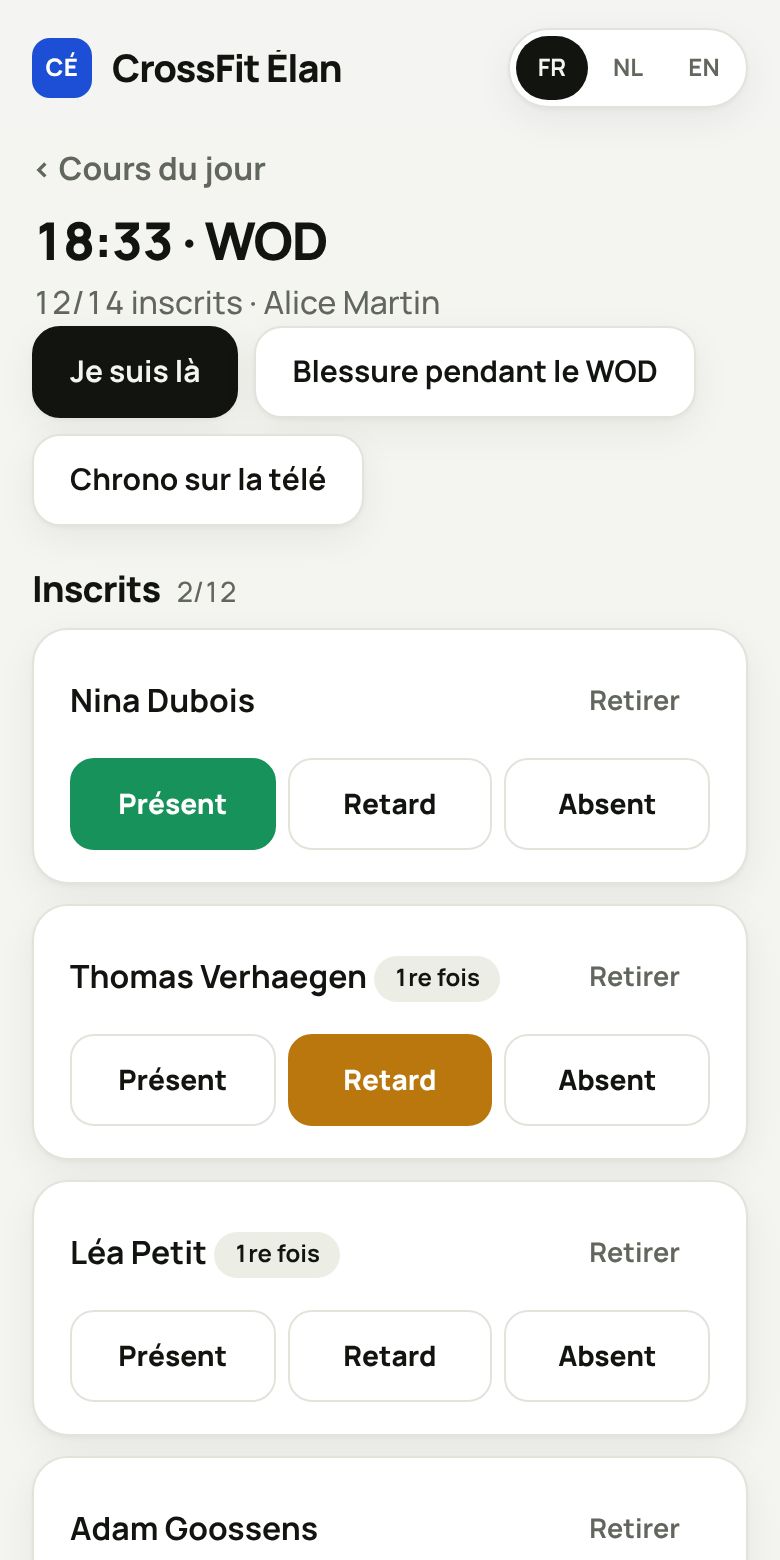
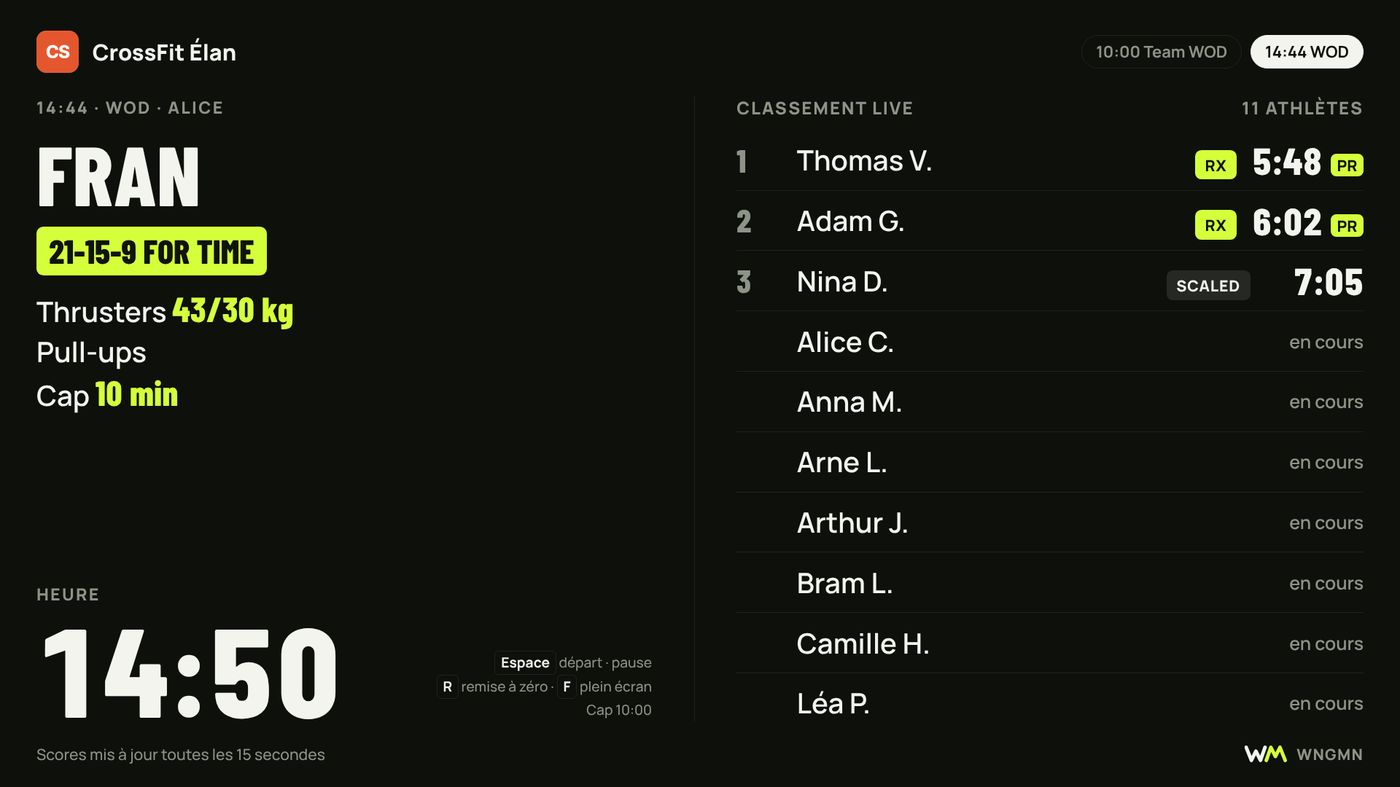
Present, late, absent: one tap per member. They start the clock and leaderboard on the gym screen from their phone, and report an injury during the WOD without leaving the class.
Their classes, personal training and intro sessions, on their phone. They share their availability, log time off, and a replacement is found without ten messages.
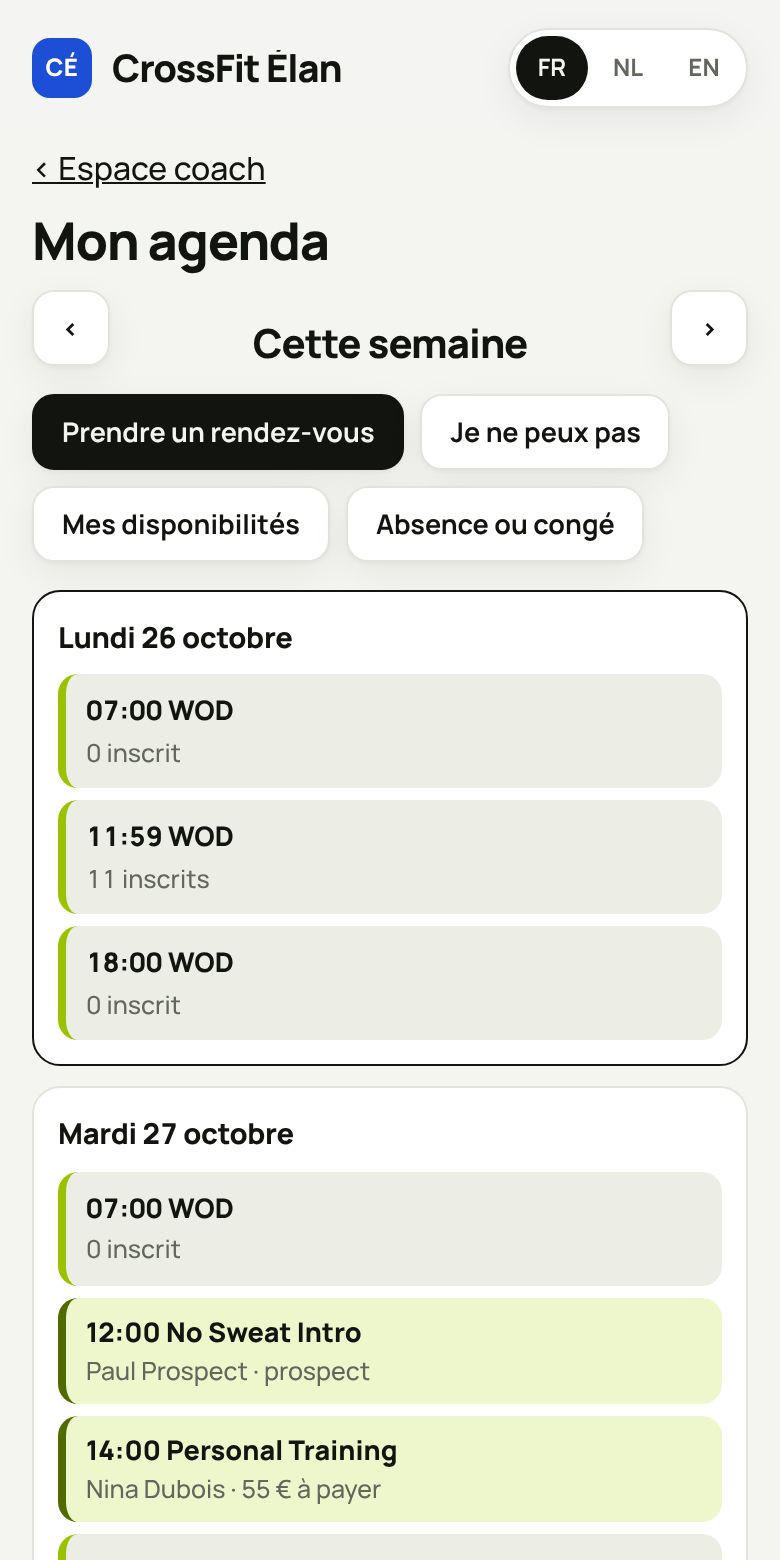
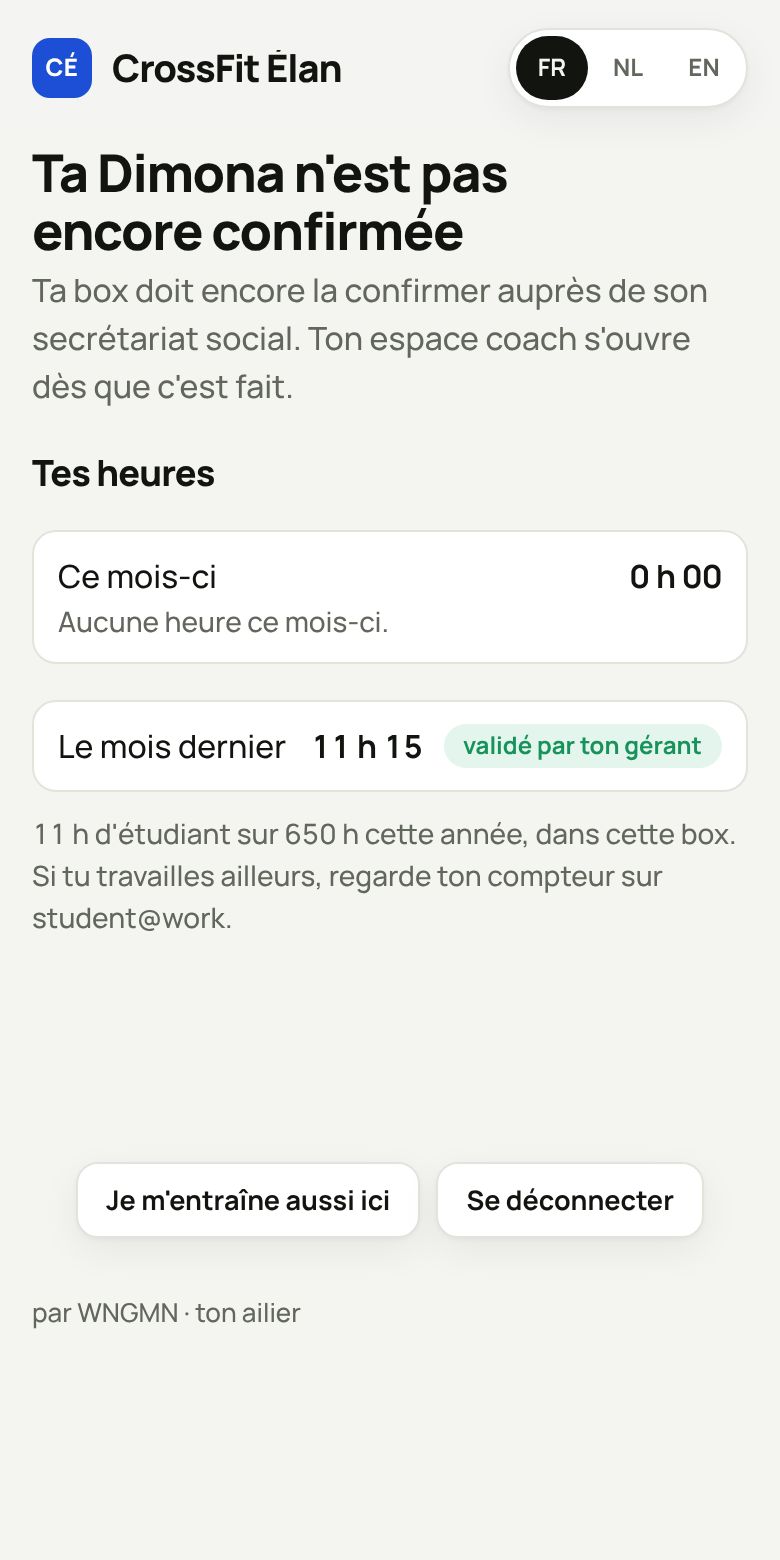
Classes taught, appointments, extras: they see their month in real time. The contract is signed with a finger in the app. Without a confirmed Dimona, their space stays locked: nothing can be forgotten.
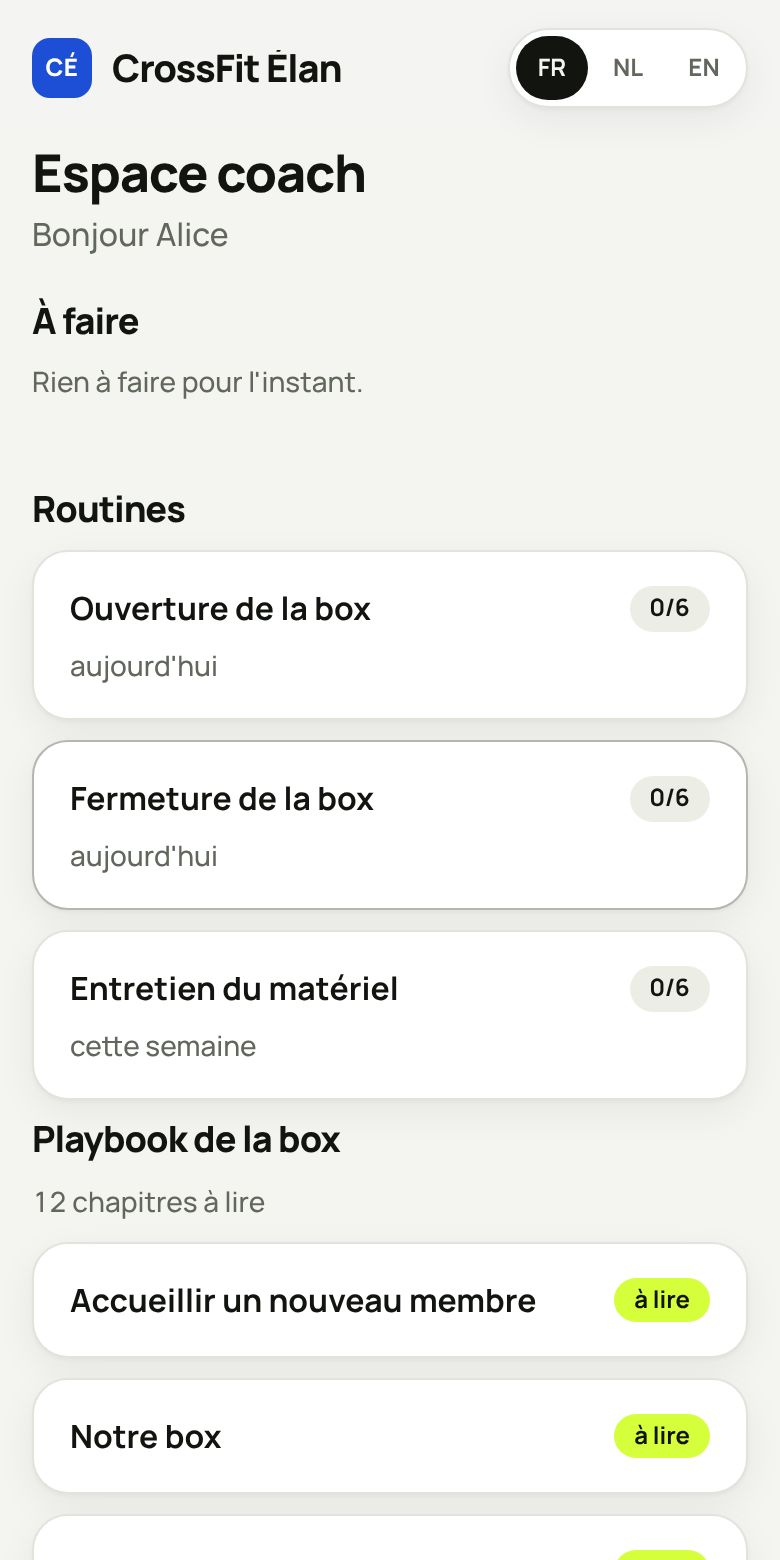
Opening and closing checklists, welcoming a new member, the box rules. A new coach is autonomous from their first week.
Each member's level per skill, to suggest the right version of the WOD.
The coach's notes under each session: warm-up, options, technical points.
Their members write to them in the app, they reply when they want. The owner decides if it's open.
Their phone drives the gym screen: WOD, clock, leaderboard.
An injury during class is logged on the spot, follow-up comes after.
You decide what each coach can see and do.
On the front-desk kiosk, the coach switches to coach mode for their class.
Their arrivals and the quality of their classes, to talk about facts.
A note dictated after class goes into the member's file. The next coach finds it in their brief.
More sign-ups than rowers or bikes? The app suggests waves or a rotation, ready to copy onto the whiteboard.
The class brief is read aloud while the coach sets up the gym.
Movements to avoid given by the partner physio show up in the brief, with what to adapt.
A path of observation and co-coached classes, signed off step by step by the head coach.
Their classes, replacements and monthly hours in the box's app, with the same account.
The judges' link opens their lanes: they enter the score on their phone, no account needed, and the leaderboard follows.
Their private sessions are booked in the app, the coach's and the box's shares are calculated automatically.
The equipment list worked out from the WOD and the number of sign-ups, in their space and on the TV before the start.